 Suflyor
The teleprompter that listens
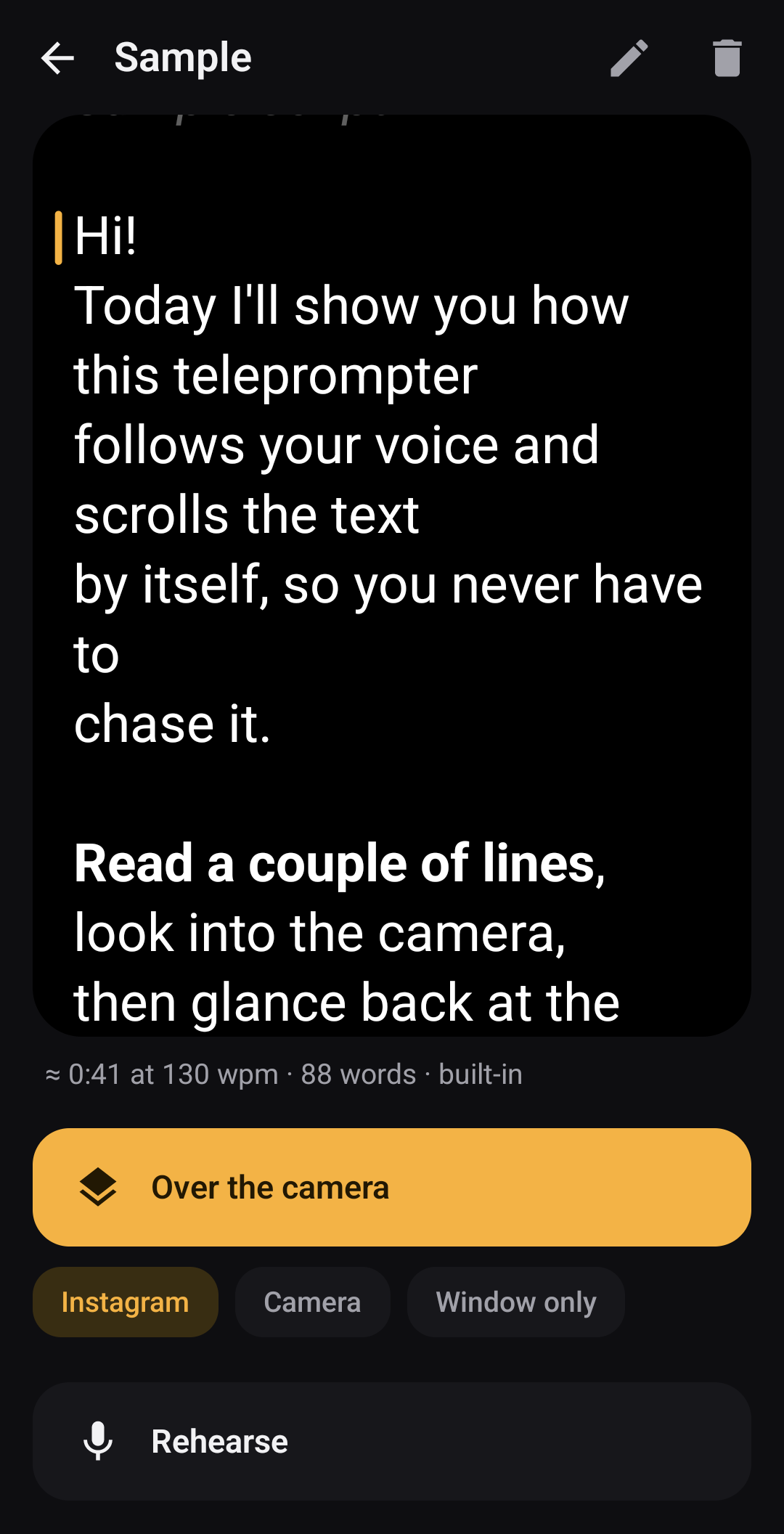
Suflyor is a free teleprompter app for Android that follows your voice. It floats over Instagram, TikTok or the camera and scrolls your script as you speak, so you never chase the text — and it works without the internet.
A teleprompter for Reels, Shorts and TikToks
Made for creators who hold the phone, read a couple of lines to the lens, look back at the text and carry on.
Follows your voice
Speech recognition on the phone finds your place in the script. Re-read a line and the text goes back; skip a paragraph and it catches up.
Over any camera app
Works over Instagram, TikTok and the stock camera while they record. The text sits right under the front camera, so your eyes stay near the lens.
Lock and landscape
Lock mode lets taps reach the camera's buttons. For landscape video the window moves next to the lens and turns the text.
Remotes and auto-scroll
Volume keys, Bluetooth selfie remotes, rings and keyboards. Or timed scrolling with a 3-2-1 countdown.
Opens almost anything
TXT, Markdown and Obsidian notes, DOCX, ODT, RTF, HTML and PDF — or paste and type in the editor.
English and Russian
Both speech models are inside the app; the language is picked from your script. More languages are coming as packs.
How it works
No account, no setup beyond two Android permissions.
Add your script
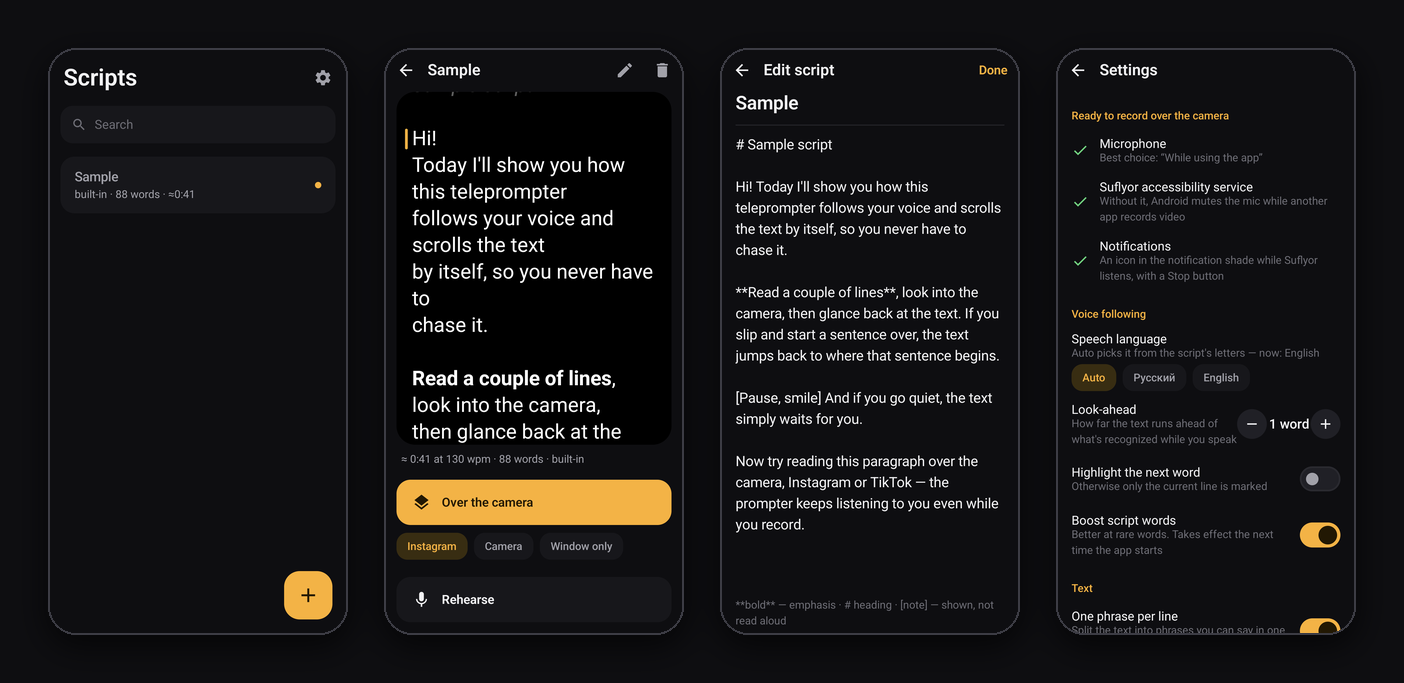
Open a file, share text from any app, paste or type it. Long paragraphs are split into phrases you can say in one breath.
Pick the camera
Choose Instagram, TikTok or Camera and tap Over the camera. The prompter window appears on top.
Just talk
Record as usual. The text follows you, waits in pauses and ignores what you say off script.
Private by design
Your voice and your scripts never leave the phone.
- No internet permission. Android doesn't let the app connect anywhere. You can check it in the app's full permission list: Permissions → ⋮ → All permissions.
- Audio is never recorded or stored. It is turned into words on the phone while a session runs.
- The accessibility service can't read your screen. It only keeps the microphone working while another app records, and works only during a session.
- No ads, no analytics, no accounts. The code is open (GPL-3.0), and releases are reproducible: the APK on GitHub is byte-identical to one built from the source.
Install
- Download Suflyor-0.4.apk from GitHub Releases and open it. For automatic updates use Obtainium.
- Allow the microphone when the app asks.
- Turn on the accessibility service “Suflyor: floating window and voice”. On Android 13+ first open Settings → Apps → Suflyor → ⋮ → Allow restricted settings.
- Open a script, pick the camera app and tap Over the camera.
FAQ
Is there a teleprompter app for Android that follows your voice?
Yes: Suflyor listens through the microphone and scrolls to the words you are saying. It is free and open source, and the speech recognition runs on the phone.
Can I use a teleprompter while recording in Instagram, TikTok or the camera app?
Yes. Suflyor floats over any app, with the text right under the front camera. Android normally takes the microphone away from other apps while a camera app records; Suflyor's accessibility service lets it keep listening, and your video still gets its sound.
Does it work offline? Is my voice sent anywhere?
It works fully offline. The app has no internet permission, so it can't send anything anywhere; audio is never recorded or stored.
Which languages does it understand?
English and Russian speech, picked automatically from the script or set in Settings. The interface is in English and Russian. More languages are planned as downloadable packs.
Does it work with a Bluetooth remote?
Yes: volume keys, Bluetooth selfie remotes, rings, presentation clickers and keyboards can pause and move the text line by line. Keys can be reassigned.
Is it free? Is there a Pro version?
Free: no ads, no accounts, no paid features. The code is GPL-3.0. If it helps you, you can support it below.
Is there an iPhone version?
No: iOS doesn't let an app float a window over other apps the way Suflyor needs. It needs Android 10 or newer on a 64-bit ARM phone.
Support Suflyor
Free forever, no ads. If it saves you retakes, a donation helps add languages and test more phones. A star on GitHub helps other creators find it.